
Kiln

Meetings,
fired into work.

Transcripts, summaries and Jira stories, made entirely on your Mac, iPhone and iPad.

Free · No account · Nine languages

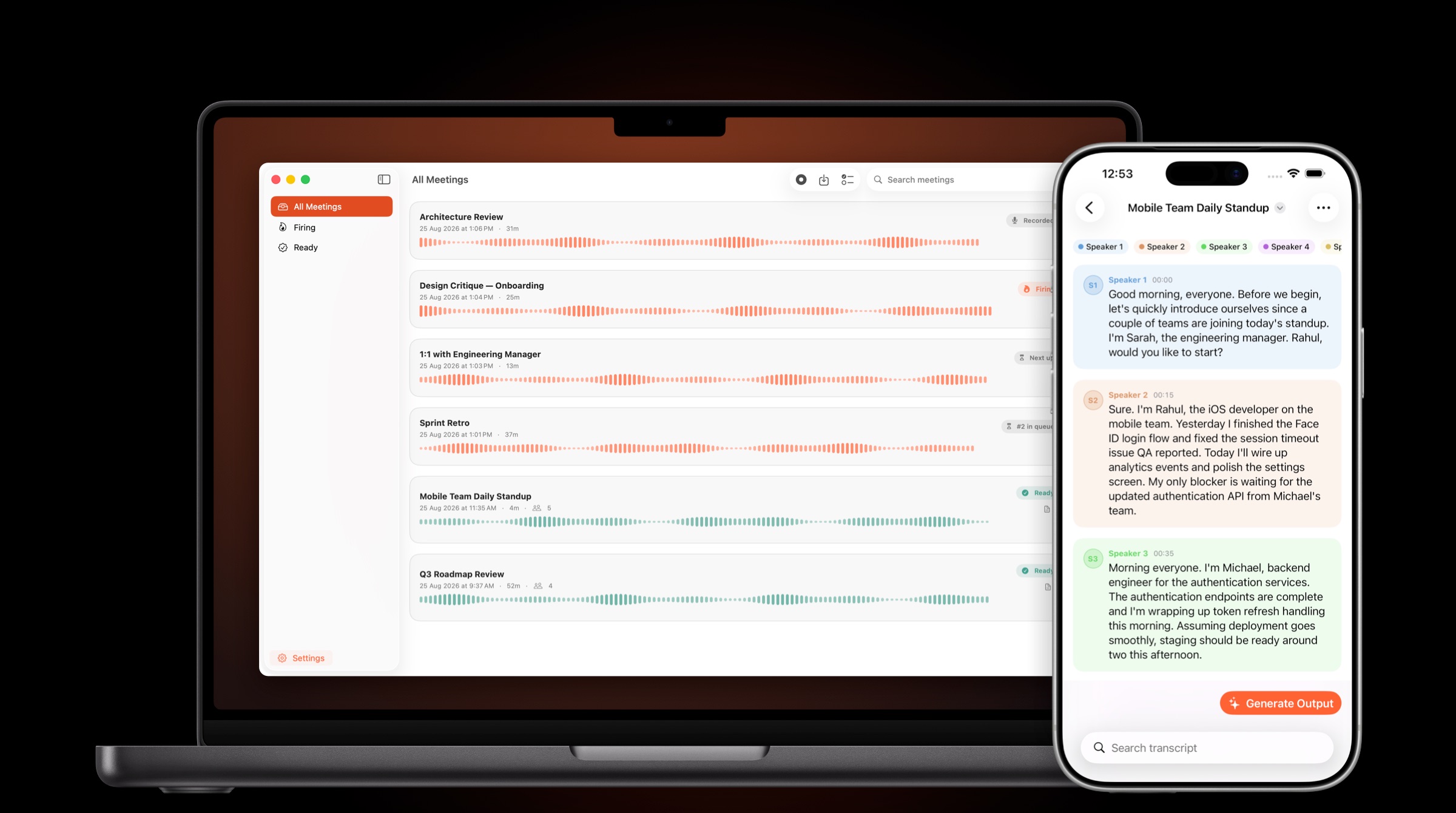
Kiln on a MacBook Pro showing the meeting library, and on an iPhone showing a transcript separated by speaker.

Watch a meeting turn into work.

Record a meeting or import one. Kiln separates the voices, writes the transcript and turns it into the document you were going to write anyway. All of it happens on your device. Kiln never sends the audio, the transcript or the report anywhere.

How it works

Record. Fire. Ship.

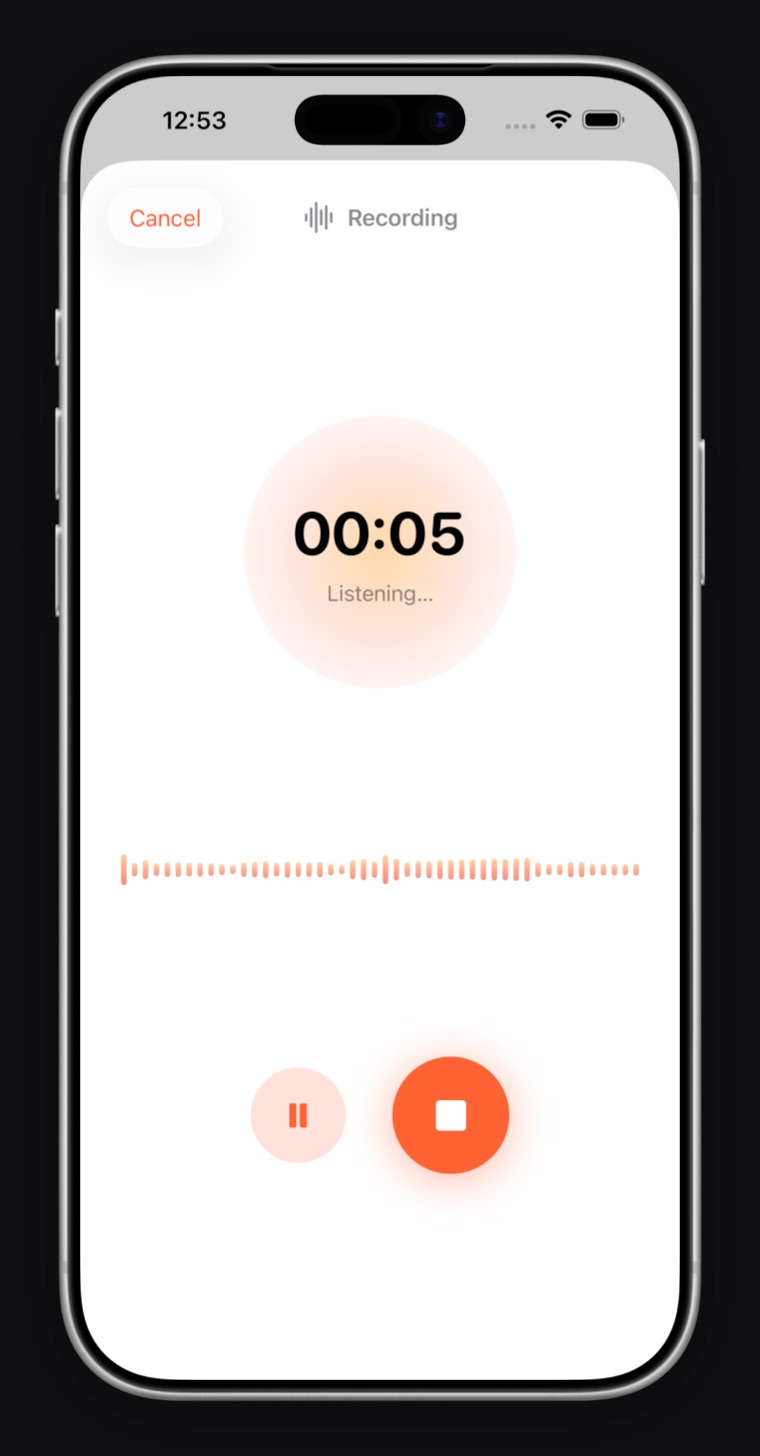
Kiln recording a meeting, with a timer.

Record

Record a meeting, or import an audio file. Leave the title blank and Kiln names the meeting from what was said.1

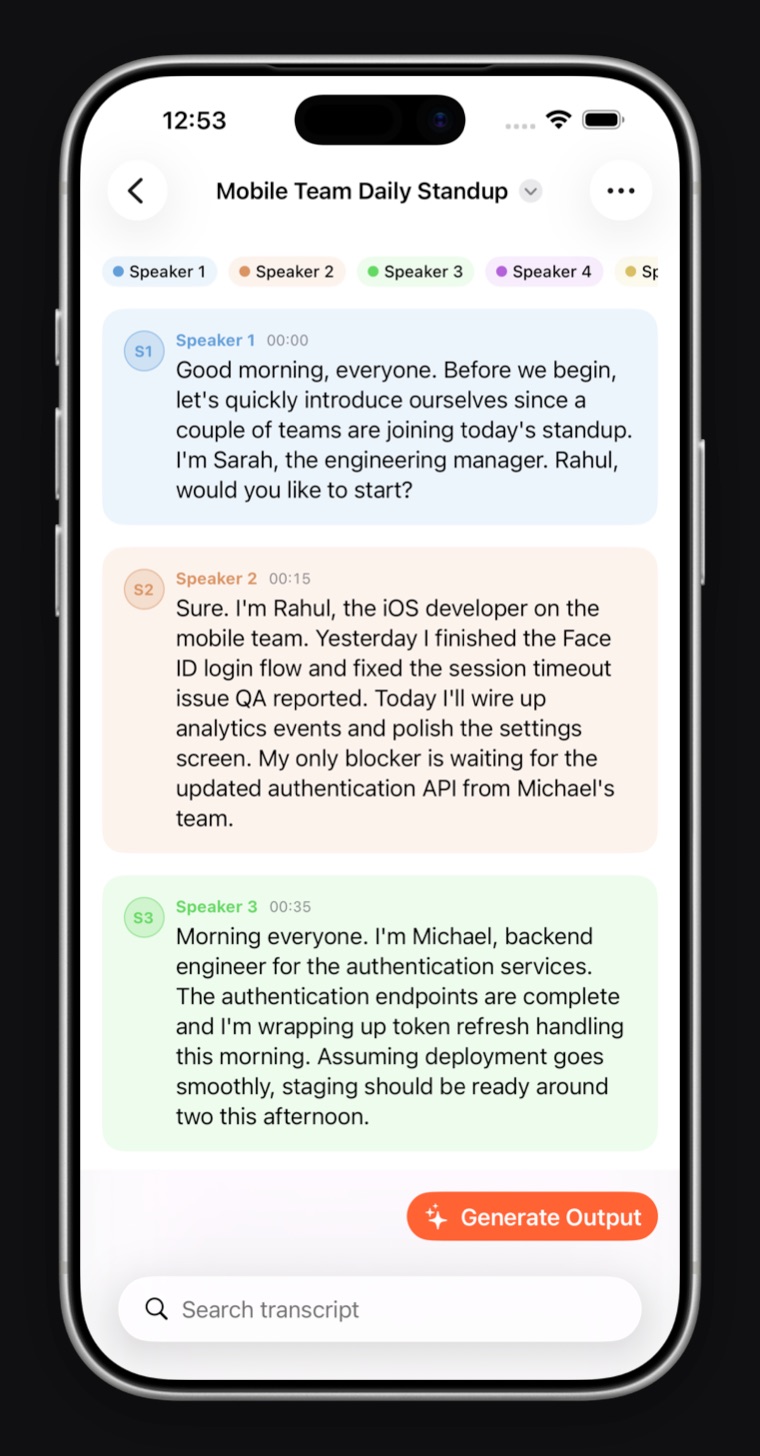
A transcript in Kiln, separated by speaker with timestamps.

Fire

Kiln separates the speakers and writes a transcript you can search, edit and play back. It can suggest who’s who, backed by what each person said.1

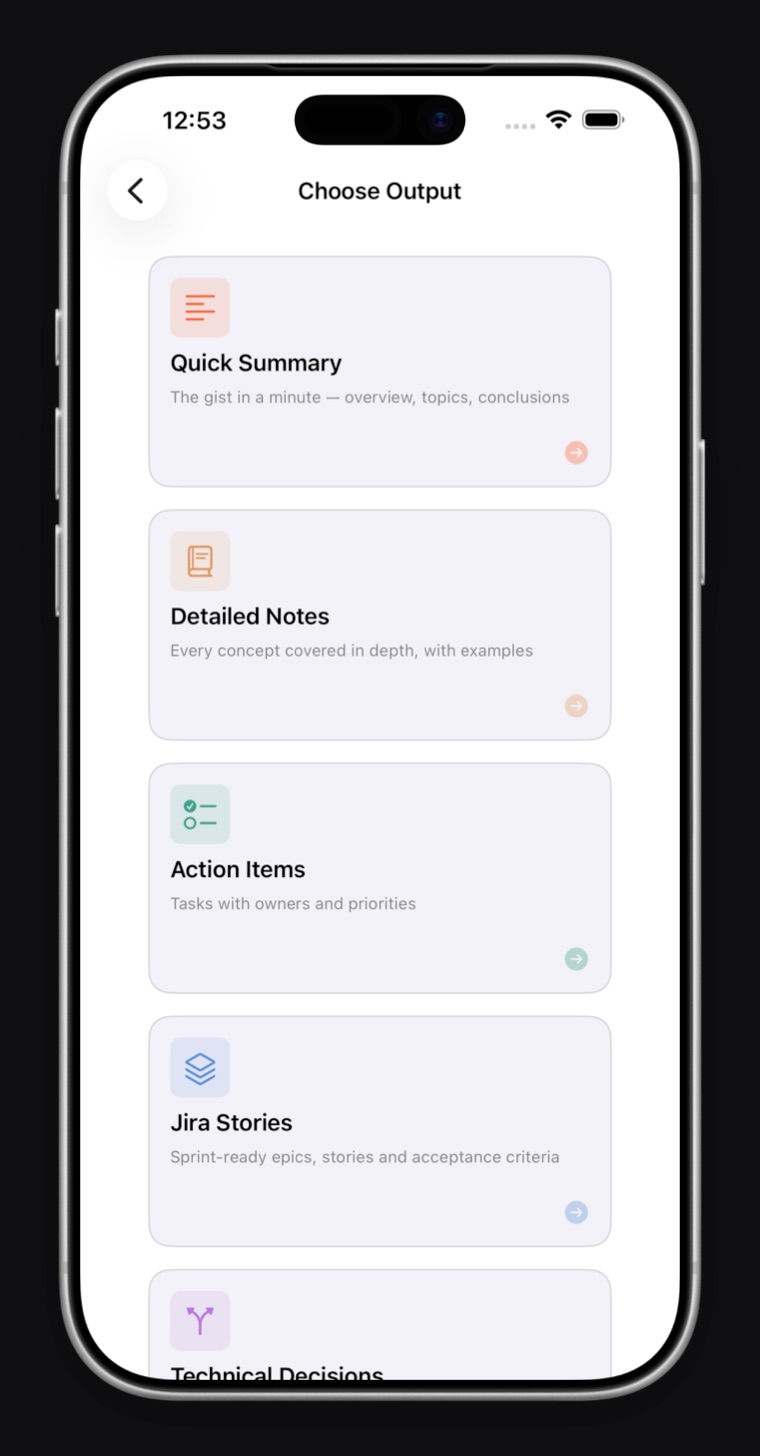
Kiln’s report picker, listing Quick Summary, Detailed Notes, Action Items and Jira Stories.

Ship

Choose a report and Kiln writes it on your device. Copy it, or share it as a PDF.1

Reports

Eight reports. One tap.

Each one is written from your transcript, in the language of the meeting.1

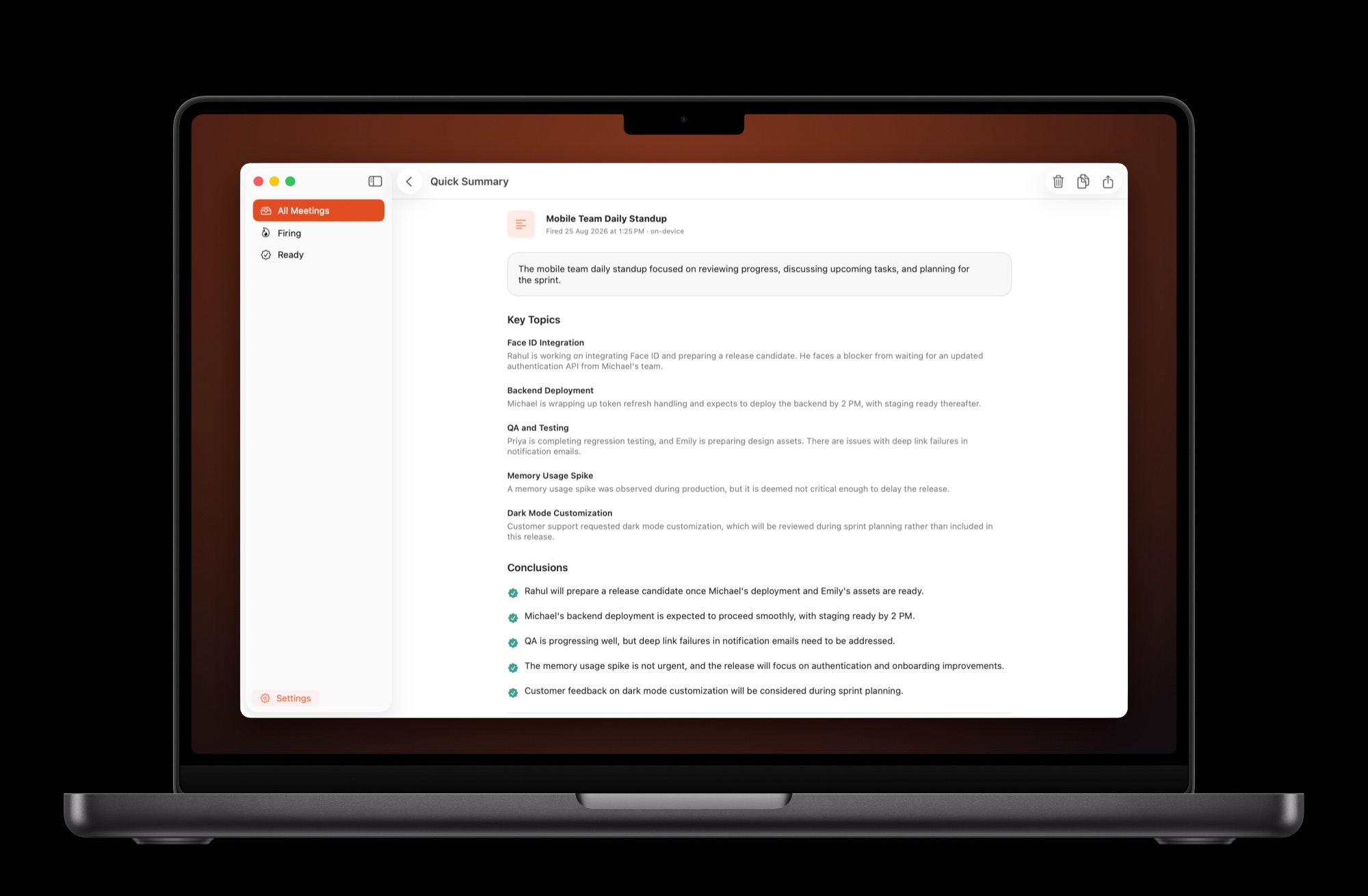
Quick Summary

The gist in a minute — overview, topics, conclusions

Detailed Notes

Every concept covered in depth, with examples

Action Items

Tasks with owners and priorities

Jira Stories

Sprint-ready epics, stories and acceptance criteria

Technical Decisions

Decisions with reasoning, impact and risk

Meeting Minutes

Participants, agenda, discussion and outcomes

Email Draft

A professional follow-up, ready to send

Release Notes

Features, improvements, fixes and known issues

A Quick Summary report open in Kiln on a MacBook Pro.

Privacy

Private by design.
Not by promise.

Kiln has no server of its own. Your meetings are processed on your device, and Kiln never sends them anywhere.

Everything runs on your device.

Transcription, telling speakers apart, titles and reports all happen right on your device.

The Mac app can’t go online.

It’s built without permission to go online, so it can’t connect to anything, not even to check for updates.

No account. No analytics.

Nothing to sign up for, and nothing that tracks you, shows ads or measures how you use the app.

Delete means delete.

Delete a meeting and Kiln removes its recording, transcript and every report made from it. Earlier backups keep their copy until they’re replaced.

Read the privacy policy

Languages

Nine languages.
Reports in the same one.

Kiln transcribes nine languages and writes each report in the language of the meeting, not translated into English.2 Its interface comes in all nine too, and you can set it separately from your device.

  • English
  • Español
  • Français
  • Deutsch
  • Italiano
  • Português
  • 中文
  • 日本語
  • 한국어
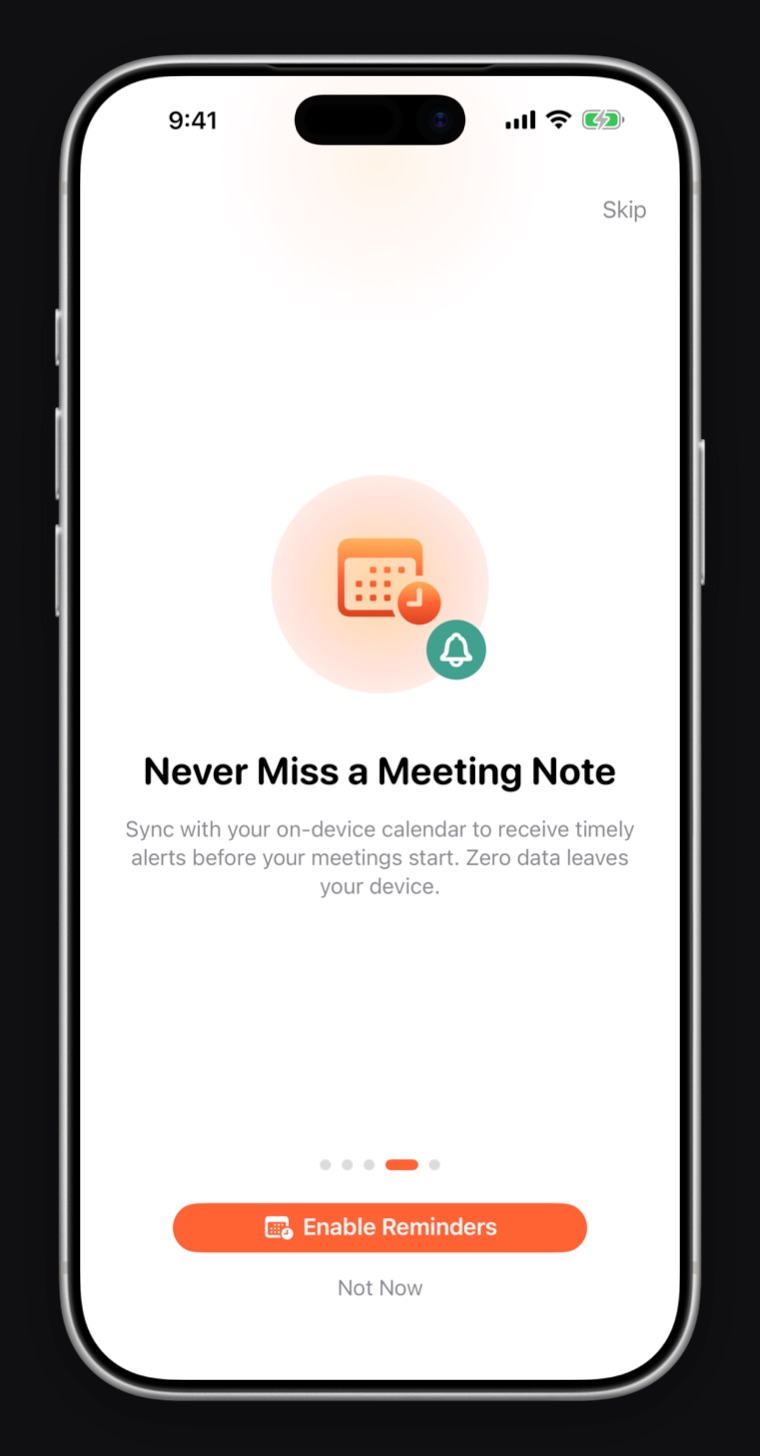
Kiln’s meeting reminders card, with an Enable Reminders button.

New in Kiln 4.1

Never miss a meeting note.

Kiln reads your calendar on your device and reminds you just before a meeting starts. It never edits your events, and Kiln never sends them anywhere.

Tap the reminder and Kiln opens ready to record, with the meeting already named.

Mac, iPhone and iPad

Made for each device
you meet on.

A native app for Mac, iPhone and iPad, with the touches each one deserves.

  • On a Mac, ⌘N starts a recording and ⌘I imports audio, from anywhere in the app.
  • On iPhone, a Live Activity keeps the recording on your Lock Screen and in the Dynamic Island, with a Stop button.
  • Meeting reminders work on all three.

Your next meeting is
a good place to start.

Free on the App Store for Mac, iPhone and iPad.3

Download on the App Store